Issue a Grudge Match
Call out an opponent before the event and get paired against them in round 1.
Got a rival you want to settle the score with? A grudge match lets you call out another attendee before the event. If they accept, the pairing system sits the two of you across the table from each other in round 1.
Grudges are optional, and organisers can turn them off for an event. When they are enabled, you manage them from your registration.
Where to find it
Once you have registered, open your registration confirmation page (also reachable from My Events). Find the Grudge match card and click Issue grudge.
If you do not see the card, grudges are either switched off for that tournament or the grudge window has already closed (see When grudges close below).
Issue a grudge
- Click Issue grudge on the Grudge match card.
- Search the list of eligible attendees and tap one or more players you want to face.
- Click Save grudges.
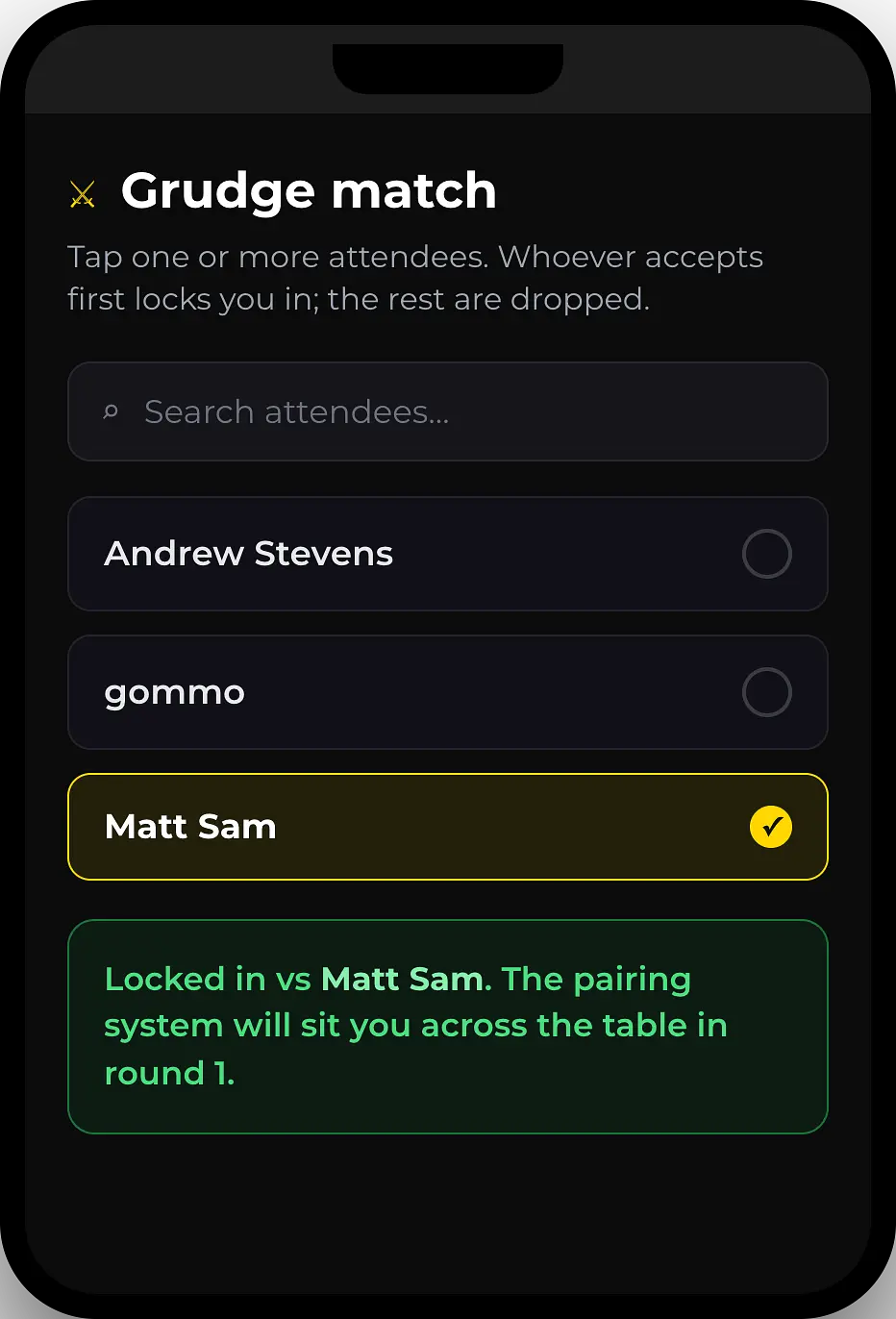
Everyone you picked receives an email letting them know you have grudged them. Your outbound grudges then show under You've grudged on the card until they respond.
You can grudge more than one player at once. Whoever accepts first locks you in, and the rest are dropped automatically. Think of it as putting out several challenges and taking the first one answered.
Who you can pick
The list shows other attendees who are in the event or might still join before round 1 (confirmed, checked in, waitlisted, or mid-checkout). Players who are already locked into a grudge with someone else appear greyed out and marked locked into another grudge, so you cannot pick them.
Someone grudged you
If another player challenges you, the Grudge match card shows 1 grudge waiting for your response (or more), each with the challenger's name and two buttons:
- Accept - locks the pairing. The two of you are set to meet in round 1, and any other pending grudges touching either of you are declined automatically.
- Decline - turns down that challenge. The other player is free to grudge someone else.
Editing and withdrawing
While a grudge is still pending (not yet accepted), you stay in control:
- Edit grudges - reopen the picker to add or remove players. Removing a player you had grudged silently withdraws that request.
- Withdraw - next to each player under You've grudged, cancels that single challenge.
Locked in
Once a grudge is accepted, by you or by an opponent, the card shows Locked in vs [opponent] and both players receive a confirmation email. From that point you cannot issue, accept, or receive any further grudges for the event. The pairing system seats the two of you together for round 1.
Team and doubles events
In team and doubles formats, grudges are team versus team and only team captains can issue or accept them. A captain challenges another team; if that team's captain accepts, the two teams are matched up in round 1. The card works the same way, but you pick a team to face instead of an individual player.
When grudges close
The grudge window stays open right up until the organiser locks round 1. As soon as round 1 pairings are published, grudge selection closes and the card shows Grudge selection is closed - pairings have already been locked. Any grudge that never locked in has no effect on your pairings.
Organisers can also switch grudges off entirely for an event, in which case the Grudge match card never appears.
Related
Was this article helpful?
Related articles
Find & Register for a Tournament
Browse upcoming tournaments in your region and register in a few clicks.
Registering for EventsRefunds & Cancellations
Request a refund if you can no longer attend a paid tournament.
Registering for EventsSubmit Your Army List
Submit and update your army list before the tournament deadline.